Polls

Polls are available on the Pro plan and higher.

Creating a poll

Creating a poll is really easy.

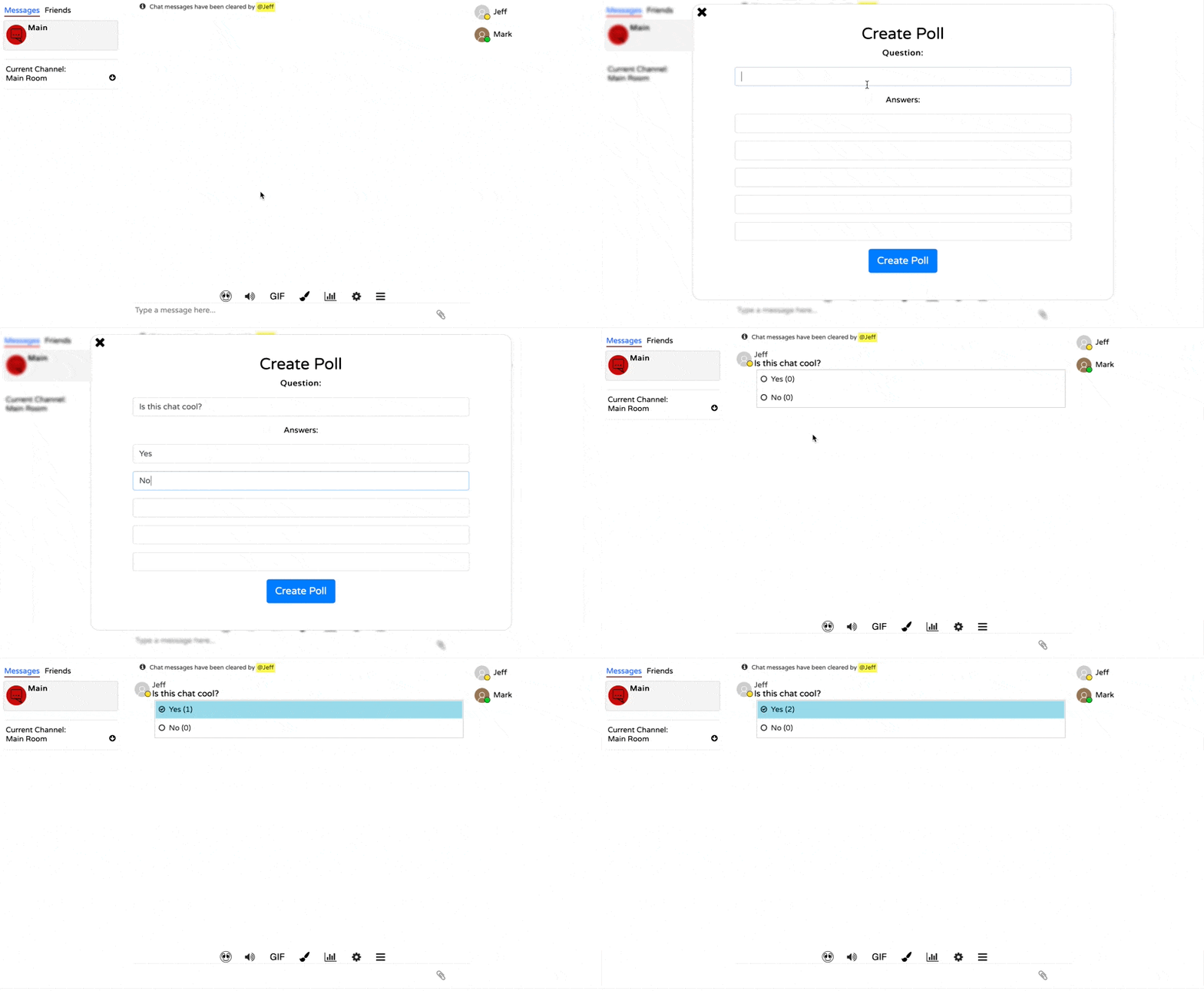
Simply click on the poll icon in the chat to create a poll.

A poll can have up to 5 answers and can be attached to a message, or to the top of the chat.

You can also choose to keep the results private. If unchecked, everyone can see the results of the poll.

Chat Poll Demo

You can also configure who can use polls in the chat with the following options:

  • Disabled (no one can use it)
  • Owners only
  • Managers and higher
  • Moderators and higher

Private results

If you choose to keep the results of a poll private, anyone with the ability to create that type of poll will be able to see the results.

For instance, if only moderators and higher can create polls attached to messages, and a message poll is created with private results, only moderators and higher will be able to view the results.

Exporting data

Poll results can be exported via the API, including any sticky polls that are removed or deleted messages.

How long is poll data stored for?

Poll data is stored for the same amount of time as the message history -- see pricing for details.

Sticky poll data is stored permanently until removed, as long as your plan is active. Once removed, the data will be deleted in line with the message history.

For instance, if a sticky poll is removed and your chat is on the Pro plan, its data will be deleted after 180 days.

Deleting poll data

Poll results can be permanently deleted via the API.